Published
Title
Score
Editor's Choice
Publisher
Published
Title
Publisher
Xbox Controls
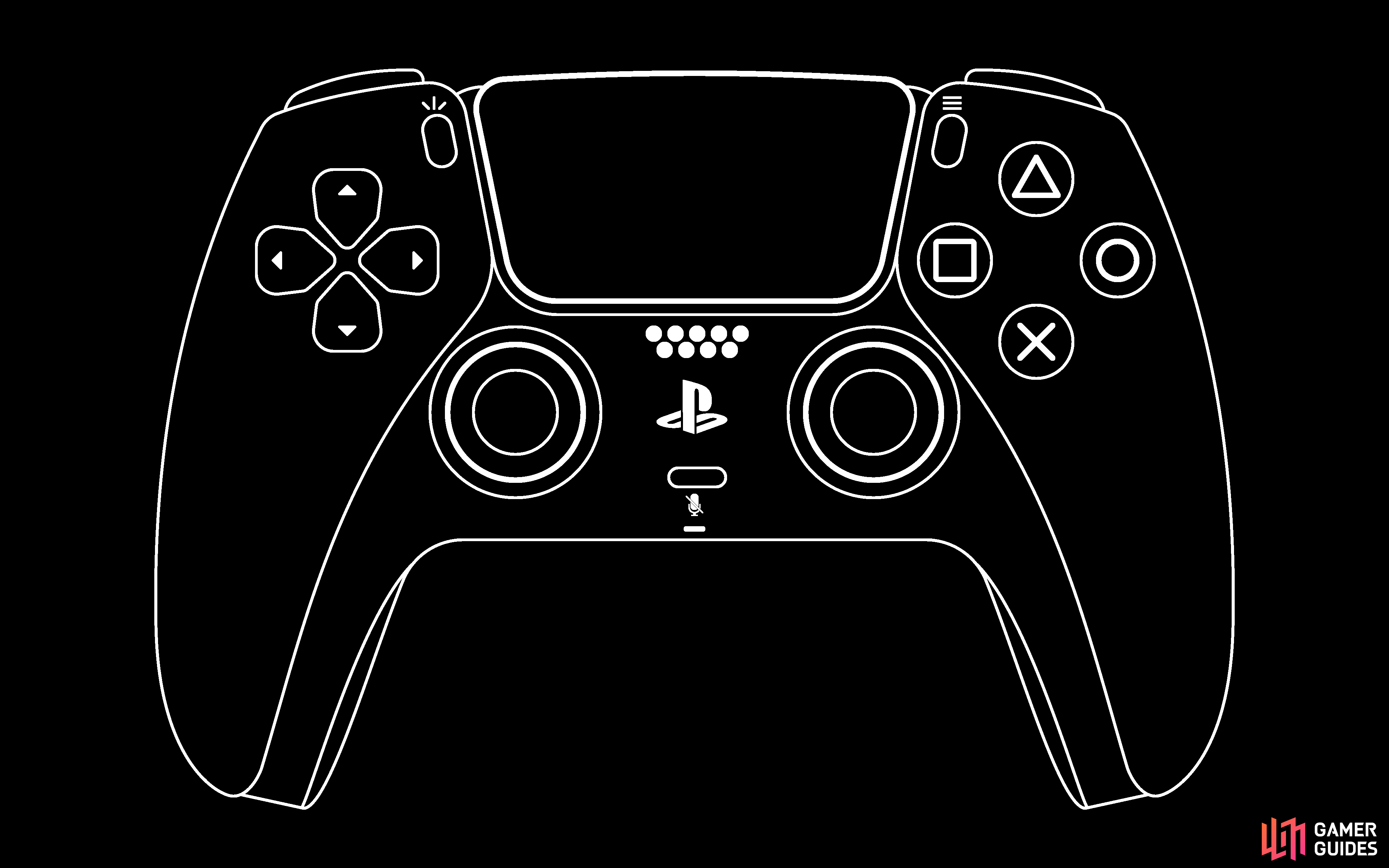
Here are the controls for the Playstation 4/5 versions of the game. Note that you have the option to switch the control scheme by going into Options -> Adjust Control Layout -> Control Scheme. Modern and Modern Alt are largely the same, except it swaps the looking left/right buttons with the fire weapon and handbrake in vehicles. Classic simply makes the controls the same as they were on the PS2 version of the game.
On Foot
Action
Modern/Modern Alt
Classic
Walk/Run
Left Analog Stick
Left Analog Stick
Look Around
Right Analog Stick
Right Analog Stick
Sprint
X Button
X Button
Jump
Square Button
Square Button
Enter/Exit Vehicle
Triangle Button
Triangle Button
Attack
Circle Button/R2 Button
Circle Button
Crouch
L3 Button
L3 Button
Look Behind
R3 Button
R3 Button
Open Menu
Options Button
Options Button
Next Weapon
L1 Button
R2 Button
Weapon Wheel
Hold L1 Button (select with right stick)
Hold L2 Button (select with right stick)
Enter/Exit Targeting
L2 Button
R1 Button
Phone/Swap Weapons/Reset Camera
R1 Button
L1 Button
Next Weapon
–
R2 Button
View Stats
Hold Left D-Pad
Hold Left D-Pad
Recruit Gang/Gang Follow (after targeting)
Up D-Pad
Up-D-Pad
Gang Ignore/Gang Hold Position
Down D-Pad
Down D-Pad
Change Camera
Touchpad
Touchpad
In Vehicle
Action
Modern
Modern Alt
Classic
Steering
Left Analog Stick
Left Analog Stick
Left Analog Stick
Look Around
Right Analog Stick
Right Analog Stick
Right Analog Stick
Accelerate
R2 Button
R2 Button
X Button
Brake/Reverse
L2 Button
L2 Button
Square Button
Handbrake
R1 Button
Square Button
R1 Button
Look Left
Square Button
L1 Button
L2 Button
Look Right
Circle Button
R1 Button
R2 Button
Look Behind
R3 Button
R3 Button
L2 + R2 Buttons
Fire Weapon
L1 Button
Circle Button
Circle Button
Nitro
X Button
X Button
Circle Button
Radio Stations
Right D-Pad
Right D-Pad
Up/Down D-Pad
Radio Station Wheel (select with right stick)
Hold Right D-Pad
Hold Right D-Pad
Hold Up D-Pad
Horn/Siren
L3 Button
L3 Button
L3 Button
Vehicle Sub-Mission
Up D-Pad
Up D-Pad
R3 Button
Open Menu
Options Button
Options Button
Options Button
Change Camera
Touchpad
Touchpad
Touchpad
View Stats
Hold Left D-Pad
Hold Left D-Pad
Hold Left D-Pad
BMX
The controls for the BMX bike are pretty much standard across all three control types. The only changes to them involve looking behind CJ. This is done with the R3 Button on Modern and Modern Alt, while with Classic, you have to hold both L2 and R2.
Action
Modern/Modern Alt/Classic
Steer
Left Analog Stick
Look Around
Right Analog Stick
Accelerate
X Button
Brake
Square Button
Handbrake
R1 Button
Bunny Hop
L1 Button (Hold for higher jump)
Enter/Exit Vehicle
Triangle Button
Fire Weapon
Circle Button
Ring Bell
L3 Button
Open Menu
Options Button
Camera Change
Touchpad
View Stats
Hold Left D-Pad
Flight
Action
Modern/Modern Alt
Classic
Steer
Left Analog Stick
Left Analog Stick
Flight Descend
L2 Button
Square Button
Flight Ascend
R2 Button
X Button
Steer Left
L1 Button
L2 Button
Steer Right
R1 Button
R2 Button
Enter/Exit Vehicle
Triangle Button
Triangle Button
Flight Primary Weapon
X Button
R1 Button
Flight Secondary Weapon
Circle Button
Circle Button
Look Behind
R3 Button
?
Vehicle Sub-Mission
Up D-Pad
R3 Button
Radio Stations
Right D-Pad
Right D-Pad
Radio Station Wheel (select with right stick)
Hold Right D-Pad
Hold Up D-Pad
Open Menu
Options Button
Options Button
Camera Change
Touchpad
Touchpad
View Stats
Hold Left D-Pad
Hold Left D-Pad
Scroll down
Guide Information
Publisher
Platforms,
Genre
Guide Release Last Updated Version History Guide Author
Get access to this feature and a lot more by upgrading to a premium account.
Find out more
Already subscribed? Log in instead

No Comments